This Or, tDownload the app from GitHub: Download Clash for Android
Or, try directly from this site: Download Clash for Android directly from this site: Download Clash for Android
If the above methods are unavailable, please visit Clash Chinese Official Website
Note for Huawei and Xiaomi users: During installation, you may receive a prompt that the app is "not registered". You need to find and select an option like "I am aware, force installation" to bypass this restriction.
2. Configuration and Activation
Open the Clash for Android app. Go to the Profiles tab. 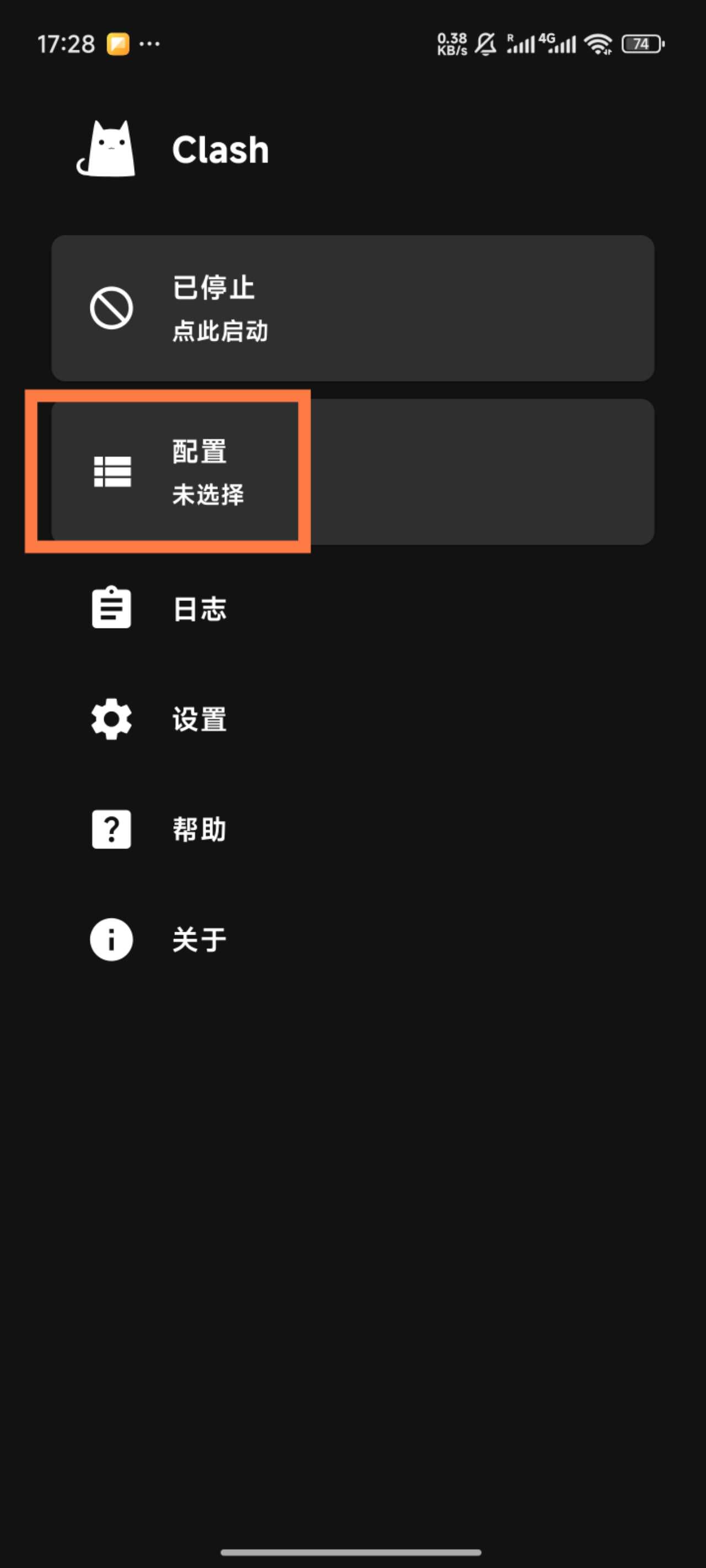 ins how to install and configure the Clash for Android app to connect to this private VPN.
1. Download and Installation
Download the app from GitHub: Download Clash for Android Or, try directly from this site: Download Clash for Android
If the above methods are unavailable, please visit Clash Chinese Official Website
Note for Huawei and Xiaomi users: During installation, you may receive a prompt that the app is "not registered". You need to find and select an option like "I am aware, force installation" to bypass this restriction.
2. Configuration and Activation
Open the Clash for Android app. Go to the Profiles tab. Tap the "+" icon and select Import from File. Choose the .yaml configuration file provided by Jungle0128. After importing, tap the newly added profile to activate it.
3. Connection and Verification
On the app's main screen, tap the large button showing Stopped to start the VPN service. Open your browser and search for "IP lookup". The result should show your IP address located in Japan. 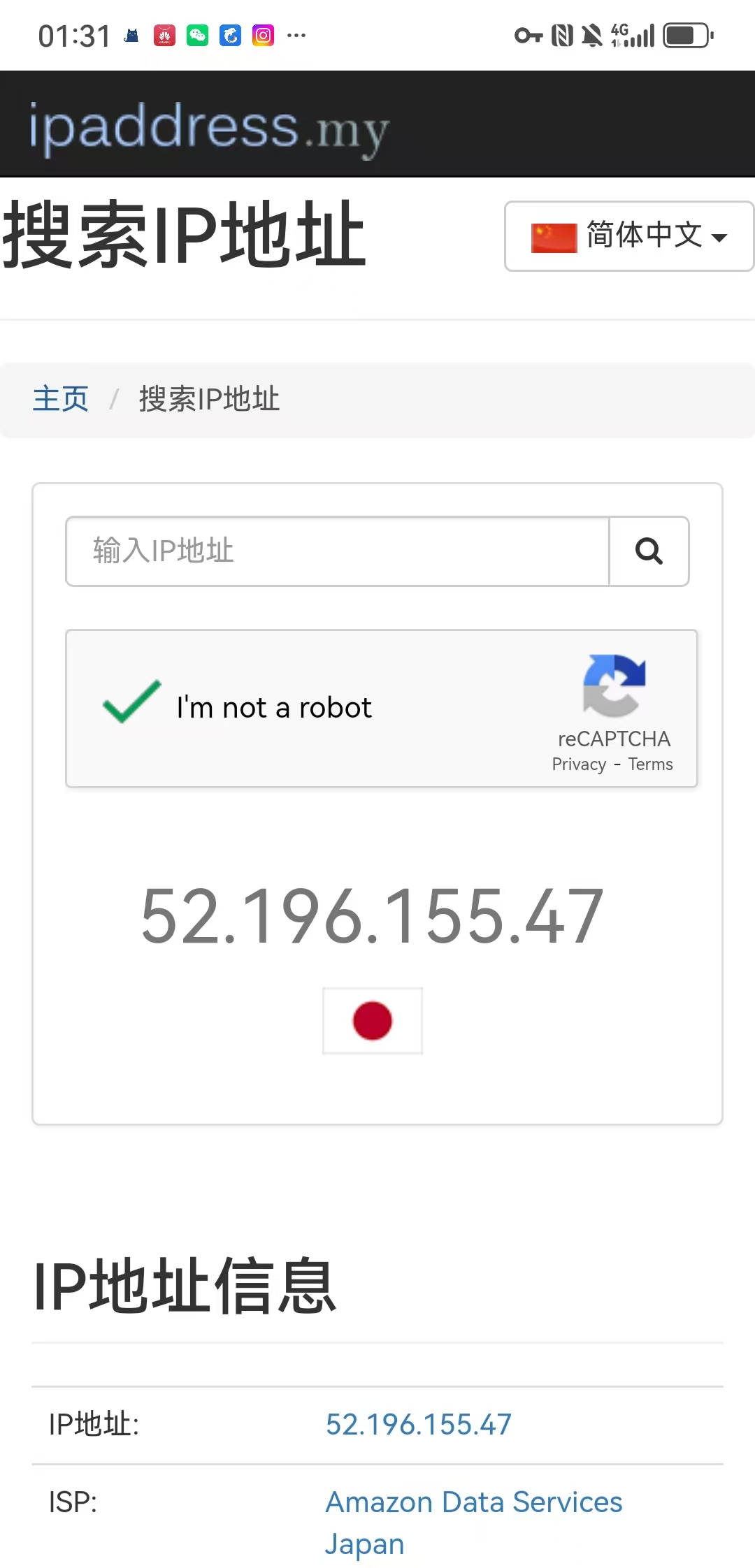 To disconnect, tap the button on the main screen again.