This guide explains how to install and configure the Shadowrocket app to connect to this private VPN.
1. Download and Installation
- Download Shadowrocket from the App Store. This step requires a non-China region Apple ID. If you have difficulties or don't want to bother, please contact Jungle0128 directly. He can provide a Finland region Apple ID. ⚠ Note: Without permission, do not use this account for any other purpose. After repeated warnings, access may be revoked.
2. Configuration and Activation
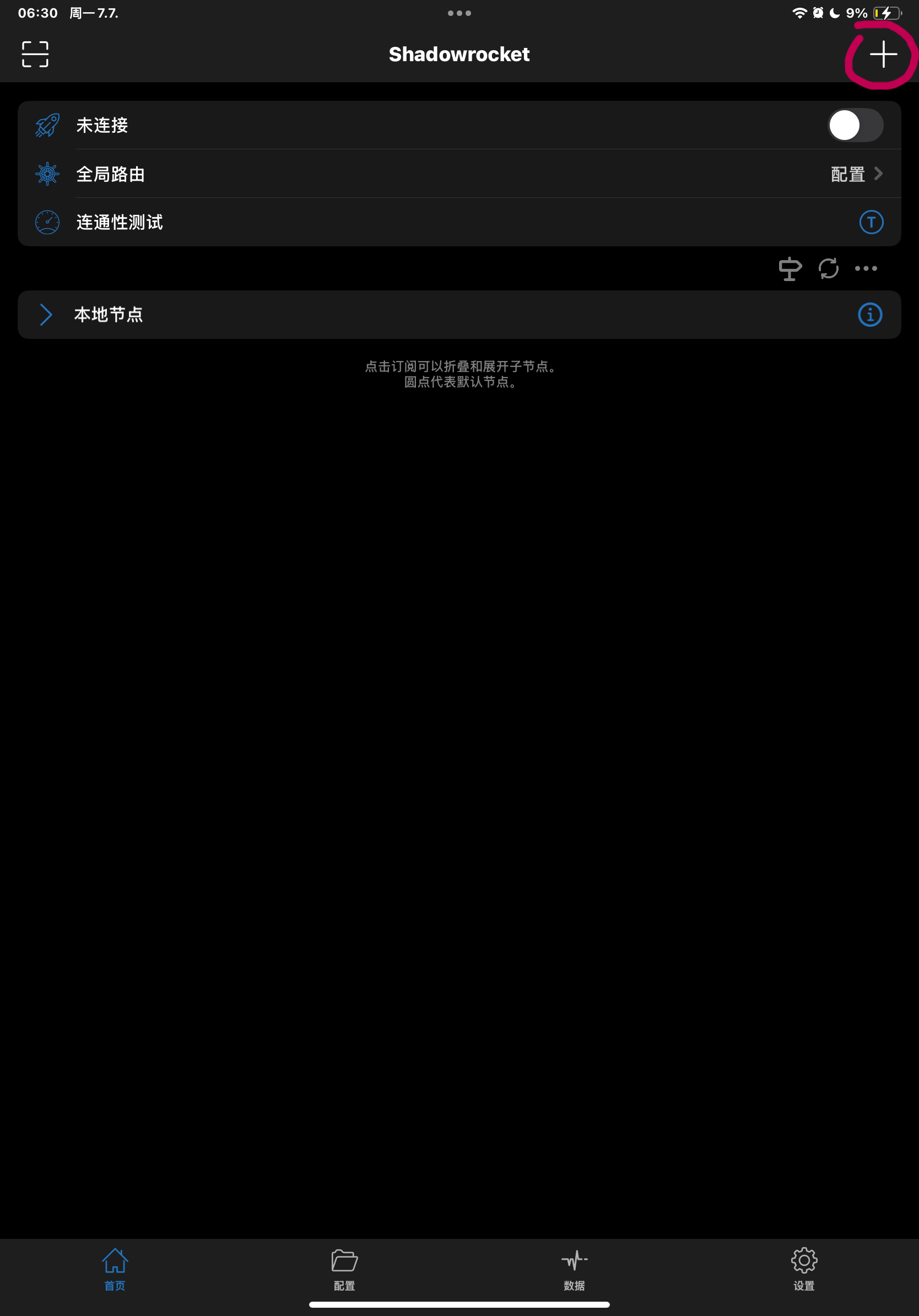
- Open Shadowrocket and tap the plus icon
+in the top-right corner.
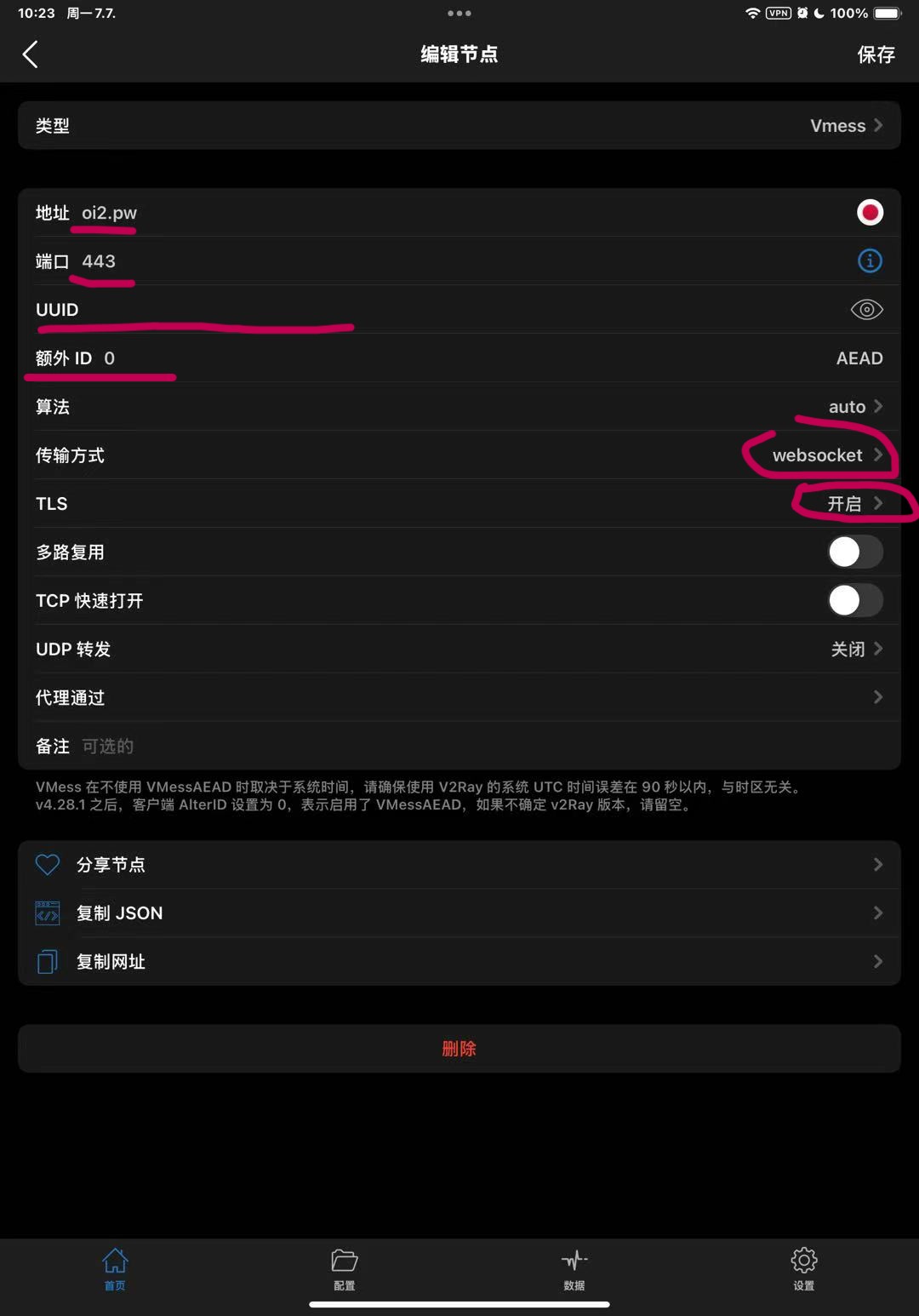
- Change
TypetoVmess. - Set
Portto443. - Obtain the
UUIDfrom Jungle0128 and paste it here.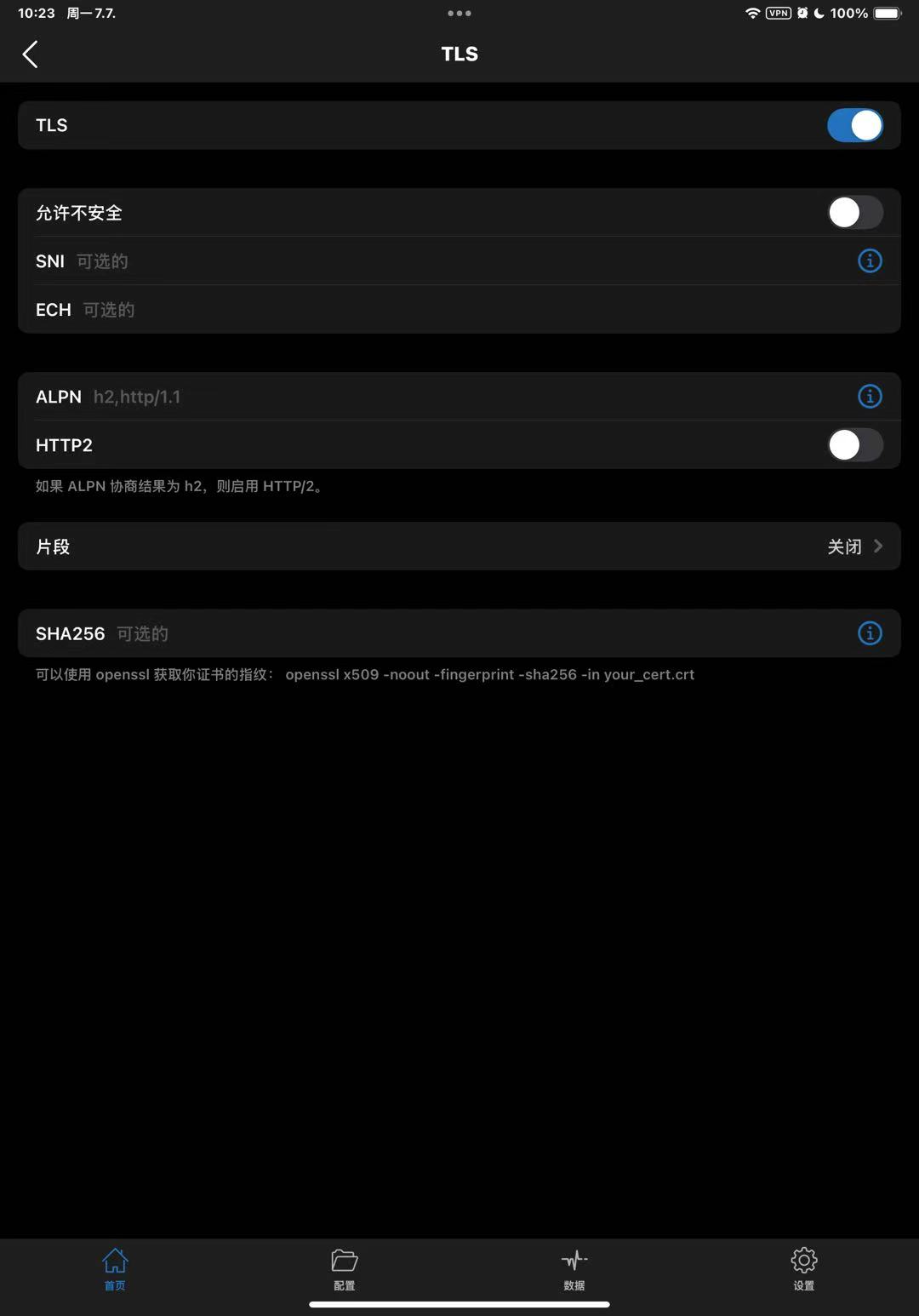
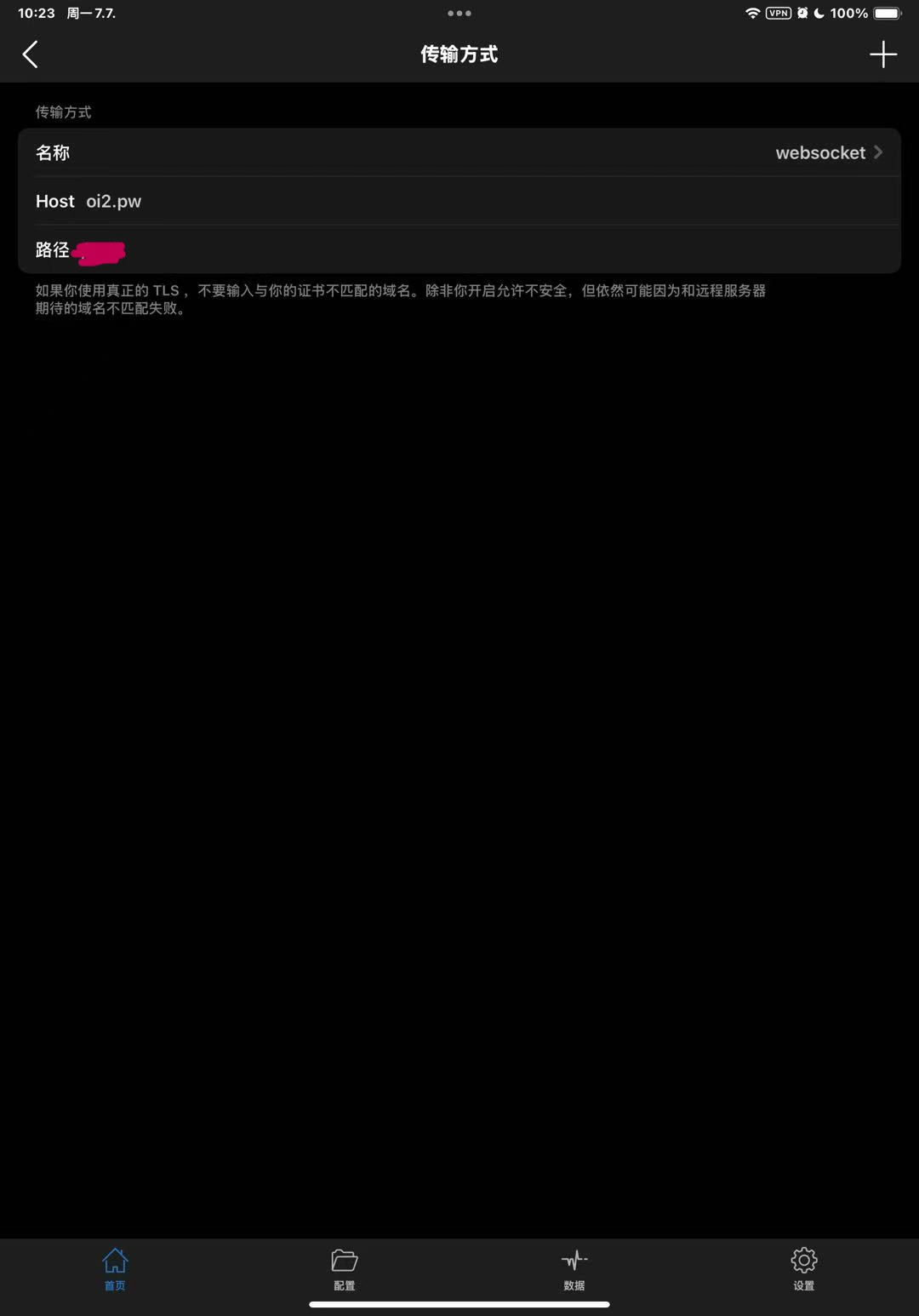
- For Transport, select
websocket. SetHosttooi2.pw. ThePathshould be obtained from Jungle0128. - Adjust other settings as needed. If unsure, match the screenshots.
- Tap
Saveand return to the main screen.
3. Connection and Verification
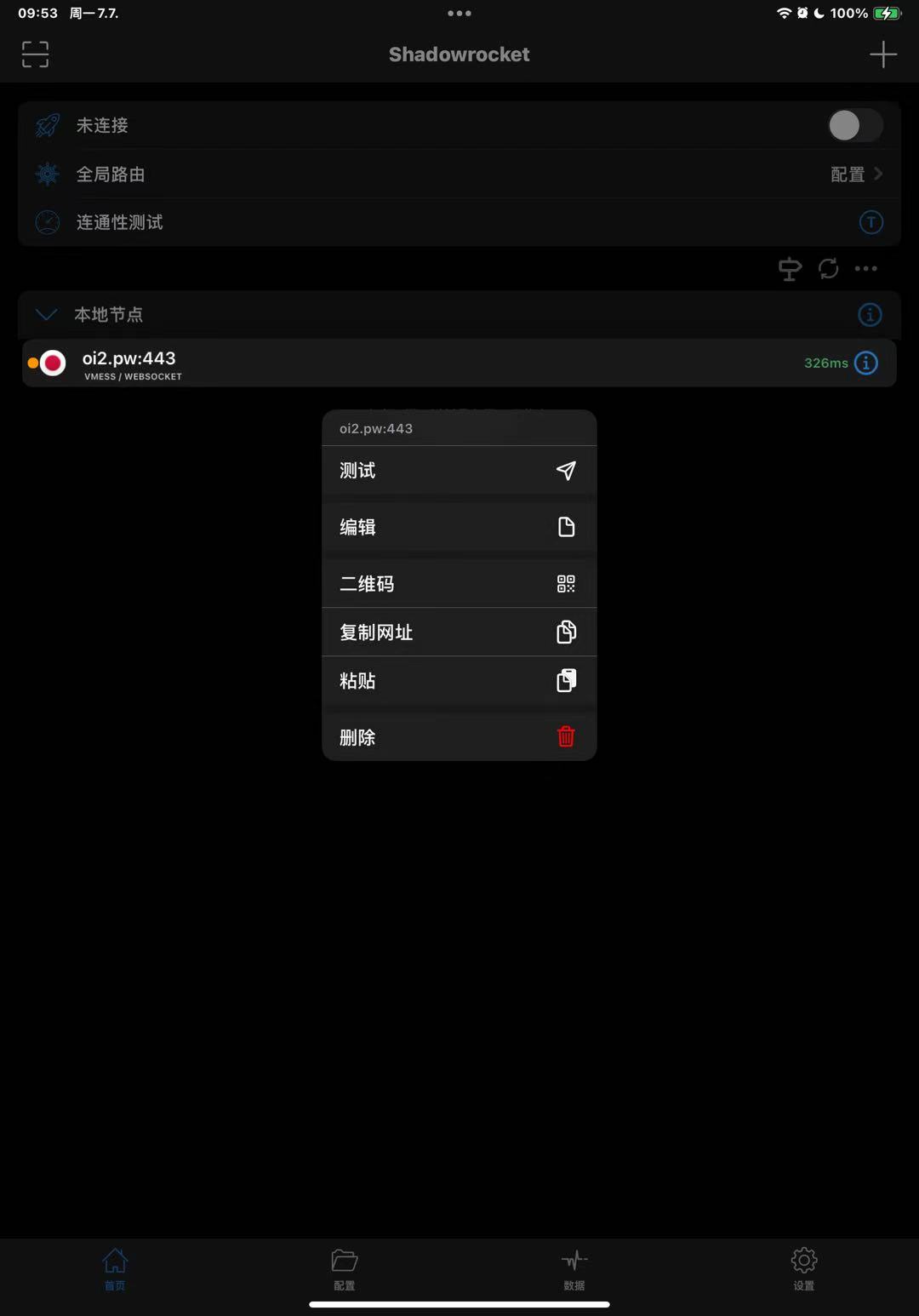
- Long-press the profile you just saved, then tap
Test. - If the test passes, it will display latency, typically 30–100 ms.
- Toggle the switch in the top-right to start the connection.
- Open a browser and search for "IP lookup". Your current IP address should show as Japan.